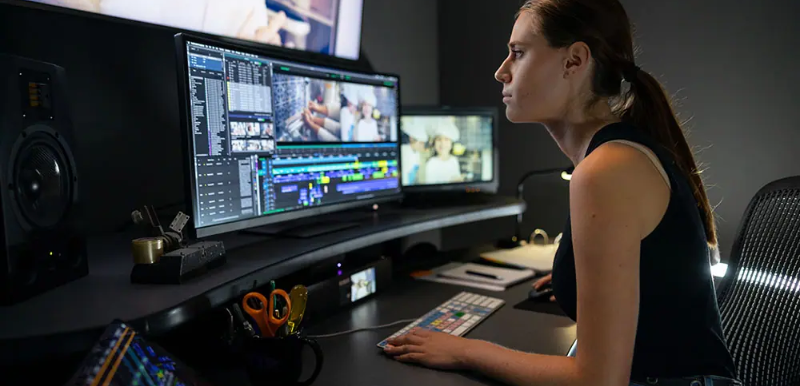
The Unshakable Grip of Avid Media Composer in Professional Editing
Avid Media Composer continues to set the bar for professional video editing. Here's why it remains an essential tool for creative teams and solo editors alike.
Editing consists of managing chaos with elegance. And Avid Media Composer has quietly become the command center for that chaos. From indie editors to post houses working on globally streamed content, this avid program has built a legacy that’s hard to dethrone.
Even with new platforms crowding the scene, there’s something about Avid that holds its ground. Maybe it's the way the interface doesn’t just invite control but demands it. Or the way Pro Tools and Media Composer pair like they're finishing each other’s sentences. Whatever it is, this is more than software. It's a system, a language, and for many, a career essential.
Let’s break down why this editing software hasn’t lost its edge, even as the tools around it upgrade.
Avid Media Composer is a Production Strategy
From the outside, it’s easy to think this is just a robust video editor. But the deeper you go, the more you see how avid media composer serves as the brain of a full-scale post-production process.
Inside the interface lives the kind of editorial control that goes beyond drag-and-drop timelines. Here, it’s about multi-cam editing that respects your sync, nested timelines that respond in real time, and precision trims that make complex storytelling manageable.
The avid technology products built into this tool go way beyond simple features. There’s a clear understanding of how post-production teams function, how editors, assistants, colorists, and sound designers need to communicate without the chaos. And that communication is baked into the software itself.
Built for Big Screens, But Adaptable for Solo Creators
At its core, Avid Media Composer is designed for serious scale. That’s why it’s the choice for blockbuster films and top-tier broadcast TV. But it doesn’t alienate smaller setups.
The base plan, Media Composer standard includes everything a solo professional needs to craft a full-length feature or multi-episode series. Ninety-nine tracks for both audio and video give editors the space to build complexity without limitation. The advanced color management, native high-res support, and plug-in compatibility mean that what starts as an indie project can finish like a Netflix-ready production.
For teams, the Media Composer Ultimate plan makes sense. With tools like PhraseFind AI and ScriptSync, editors don’t just scroll endlessly through footage, they jump right to moments by searching for words actually spoken on screen. This kind of contextual editing is what turns hours of footage into streamlined sessions. Add in remote collaboration via Avid Huddle and NEXIS shared workflows, and you're looking at a cloud-capable environment that’s already anticipating the next five years of content creation.
Seamless Audio Integration with Pro Tools
One of the strongest advantages of this system is how easily it integrates with Pro Tools. The relationship between these two tools is so deeply connected that you’d be hard-pressed to find a better match.
Audio editors can start a mix in Media Composer and send it straight to Pro Tools without conversions or relinking. The software holds on to every bit of metadata, every subframe audio slip, and every automation curve. This is a continuation of the same language across platforms. And for audio-intensive projects like documentaries or dramas with deep sound design, this becomes an irreplaceable asset.
When avid microchip systems are deployed in professional studios, they often include both tools running in tandem. It’s this kind of hybrid ecosystem that allows productions to move faster, sound better, and reduce post time significantly.
Color, Clarity, and Control
Color grading inside Avid Media Composer doesn’t feel like an extra feature—it feels like a built-in expectation. From the Symphony Option to built-in HDR workflows, everything about this system is ready for 2024’s demands in content clarity.
With 32-bit floating point color pipelines and full ACES color space support, editors know their project’s visual integrity is going to carry from offline to final master. Whether you're coloring for cinema, OTT, or social media, the consistency across outputs is unmatched.
The built-in avid program effects suite also includes Timewarp, FrameFlex, and motion stabilization, all of which work in real time without choking the system. For editors working with large file formats like ProRes or DNxHR, this kind of performance means no more waiting for render bars to clear before viewing an effect.
Real-Time Editing Without the Lag
With the introduction of the new Avid Media Engine, performance has taken a leap. Editing in real-time, even in multi-layer, high-resolution timelines is not only possible, it’s expected.
What’s more impressive is how well this system plays on Apple Silicon. M1 and M2 chips render smoother playback, faster exports, and better caching, making Media Composer as fast on laptops as it used to be on high-end desktop workstations.
And thanks to avid deals now floating around for students and educators, this level of power is no longer locked behind enterprise-only doors.
Organized, Searchable, and Built for Longevity
Managing media is half the battle in post-production. Avid Media Composer doesn’t treat this as a side concern but turns file management into a strategic advantage.
Bin containers allow editors to organize content by scene, character, camera, or custom tags. PhraseFind AI and ScriptSync AI let you search for dialogue, not just clip names. And with proper settings, the software ensures relinked files never go astray, even years after a project wraps.
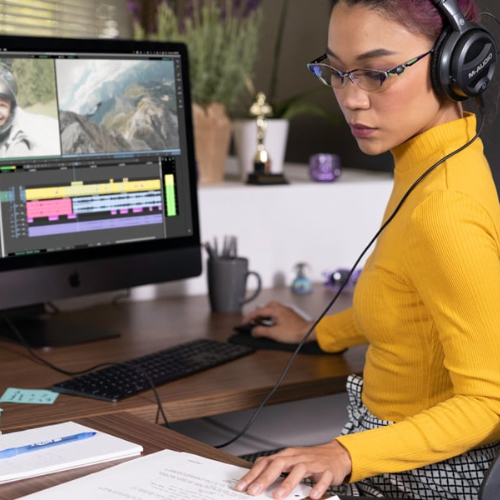
For teams juggling multiple episodes, revisions, or formats, this kind of tracking saves days. It also means no one wastes time chasing missing media when a deadline is breathing down their neck.
Tailored Workspaces for Focused Editing
The interface adapts to the user, not the other way around. With dedicated workspaces for color, audio, and effects, editors can create environments that suit each stage of their workflow.
And unlike other platforms that clutter your screen with tools you won’t use, Media Composer lets you hide, rearrange, and save custom layouts. Each editor on the same team can come in and see exactly what they need, nothing more, nothing less.
When working on team projects, this modular control turns into real-time efficiency. No wasted time learning someone else’s layout or wondering where your timeline went. The tool adapts, quickly, and consistently.
The editing world isn’t lacking in choice. But for those working in professional environments where quality, speed, and collaboration matter most, Avid Media Composer is still the most complete solution on the market. And it’s not standing still. The updates keep rolling in, smarter AI tools, more seamless cloud features, better interoperability with Pro Tools, and a deeper focus on delivering to any screen in any format. If you're a creator who values control and craft, and if you’re editing for impact, then Avid Media Composer sets the standard.
For more on tech, follow FlexGlimpse.
Related Blogs

ShirtPunch Review: Fun Pop Culture Apparel and Collectibles
Looking for unique pop culture apparel? Read our ShirtPunch review to explore graphic T-shirts, hoodies, collectibles, and accessories designed for fans of gaming, anime, movies, comics, and more.

Is Commomy Decor Worth Buying For Stylish Home Furniture
Looking for stylish and practical home furniture? Read our Commomy Decor review to explore its modern furniture designs, décor collections, functional pieces, and affordable options that help create comfortable and beautiful living spaces.

Is Team Motorcycle the Best Store for Motorcycle Gear and Riding Accessories
Searching for reliable motorcycle gear? Read our Team Motorcycle review to explore its wide range of helmets, riding apparel, boots, gloves, luggage, and accessories designed for riders of every experience level and budget.