How to Create Your Own Photo Book On Smartphoto Without Spending Hours
A photo book should feel personal, not like a long editing project. This guide shows how Smartphoto helps people finish faster while keeping the final book polished.
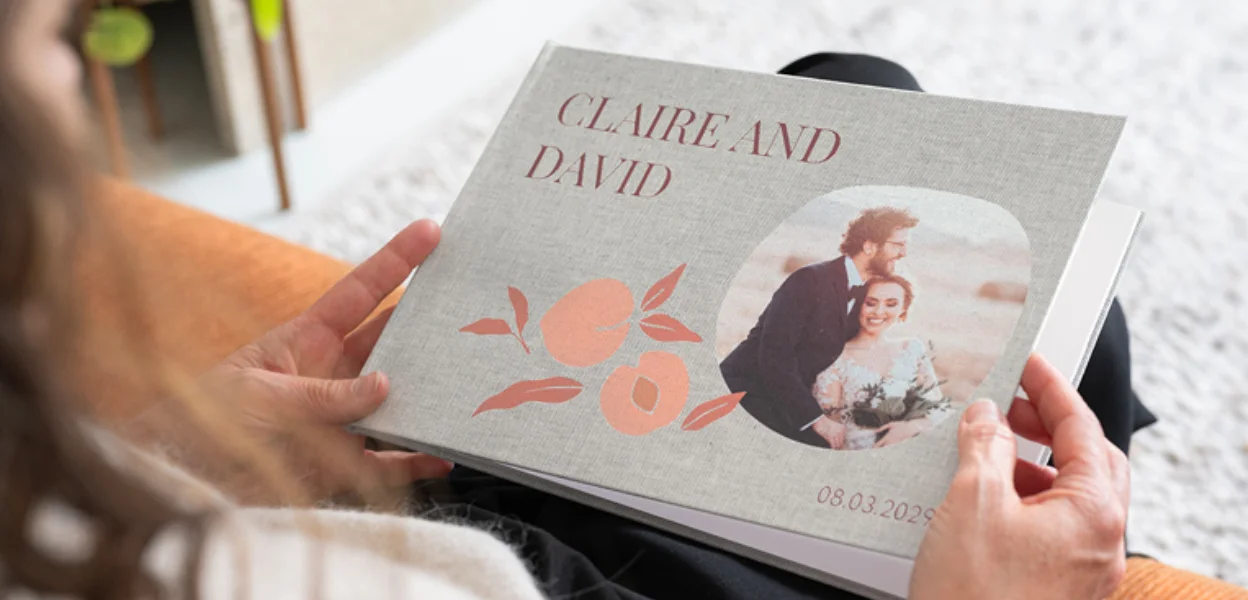
Trying to create your own photo book begins with good intentions and ends up with too many photos, countless many layouts, and inevitably time lost on small edits. Smartphoto makes the process easier because its editor is built around speed, guided setup, and automatic placement. This guide explains how to get a photo book finished faster while still making it feel personal and worth keeping.
Why Smartphoto Appeals to People Who Want A Faster Way To Make A Photo Book
Smartphoto works well for people who do not want to design every page from scratch. The setup begins with practical choices like size, orientation, and cover, which gives the project structure early. That matters because most delay happens before real editing even begins, when people are still trying to decide what kind of book they are making.
What Makes the Online Editor Easier To Use
The editor keeps the process moving by narrowing choices in a useful order. Instead of opening to a blank project, you first choose the format, then move into a design that already has a visual direction. Smartphoto also lets people save a project and come back later, which helps when photos are collected on one device but the final layout is easier to finish on another.
When Automatic Fill Saves Time
The autofill feature is the biggest reason the process can move faster. After photos are uploaded, the tool can place them into a selected layout automatically, usually in chronological order while taking image orientation into account.
That removes the slowest first step and leaves more energy for checking the book rather than building every page manually.
People often describe the same pattern. The setup feels straightforward, ordering is smooth, and the time saving tools genuinely help, but the first automated version still needs a careful final review. That is the useful middle ground. Fast tools matter, but a quick review is what keeps the book from looking rushed.
How to Create Your Own Photo Book Step By Step
The easiest way to create photo book online is to prepare before opening the editor. Put all chosen photos into one folder, remove obvious duplicates, and decide what story the book should tell. A yearbook, holiday album, wedding book, or family gift becomes easier to build when the purpose is clear from the start.
Choose the Right Format For Your Photos
Smartphoto offers Medium, Large, and Extra Large formats, with different orientations. Medium usually suits everyday memories or small gift books, while Large and Extra Large leave more room for wide images and longer stories. This is where practical details matter, since some premium paper options are for larger hardcover books rather than every format.
Pick A Cover that Matches the Occasion
Cover choice affects both the entire look of the book and how quickly the design decisions come together. A standard photo cover often works well for casual books because the visual tone is already built in.
Linen and leather covers feel more formal, which can suit milestone albums or gifts. Hardcover books also come with lay-flat binding, which helps when one image needs to run across a full spread.
Add Photos, Text And Personal Details
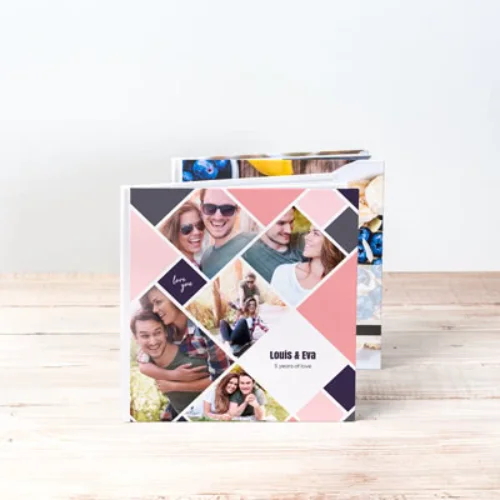
This is the step where many people lose time by trying to fill every page with extra design elements. Smartphoto allows text, layout changes, and additional personal touches, but the strongest books usually stay selective. Short captions, dates, names, and a few meaningful notes add enough context without turning the project into a long writing exercise.
How To Make Your Own Photo Book Look Better Without Making It Complicated
A polished photo book usually comes from restraint rather than constant editing. That is where many similar guides stay too generic. The smartest approach is to let the platform do the repetitive work, then focus only on the choices that people actually notice later. Those are image selection, page rhythm, and whether the book feels easy to browse.
Keep The Photo Selection Focused
If you make your own photo book with every decent photo included, the story starts to lose shape. Smartphoto books begin at 20 pages and can expand to 100, with an extra charge per added page, so a tighter selection helps visually and financially.
Use Layouts that Do Not Feel Busy
Clean layouts nearly always feel more premium than crowded ones. Large images, breathing room, and consistent spacing make a stronger impression than decorative overload. Smartphoto gives enough layout flexibility to improve a book quickly, but also enough freedom to make pages feel cluttered if every spread tries to do too much.
Check Page Order Before Ordering
The preview stage is where time saved earlier should be spent carefully. Smartphoto notes that low quality images are flagged with a warning triangle and that preview images may appear softer because the editor shows a reduced quality version during design. That means the final review should focus on the things that matter most.
- Watch for warning icons on images.
- Check cropping around faces and edges.
- Make sure the page sequence still tells the story clearly.
- Remove any spread that feels repetitive or overloaded.
Frequently Asked Questions About Smartphoto Photo Books
How Does Smartphoto Autofill Work?
After photos are uploaded, the autofill tool places them into the selected layout automatically. The arrangement generally follows chronology while accounting for image orientation, and you can still move, crop, and reorder pages manually.
Can You Change the Size After Starting?
Yes, Smartphoto explains that format and cover settings can still be changed inside the editing program. That is useful when a project begins small but later needs more space for larger images or added pages.
Is There Ever a Useful Discount On Photo Book Orders?
Smartphoto runs promotions regularly, but the final value depends on your customisations. Extra pages, premium paper, upgraded covers, and shipping can change the total, so it helps to check the full order rather than assuming the visible starting price tells the whole story.
The easiest way to create your own photo book on Smartphoto is to stop treating every page like a separate design project. Let the platform handle the repetitive parts, then spend time only on the choices that shape the final result.
For more arts and craft ideas and fresh ways to turn memories into something lasting, follow FlexGlimpse.
Related Blogs

ShirtPunch Review: Fun Pop Culture Apparel and Collectibles
Looking for unique pop culture apparel? Read our ShirtPunch review to explore graphic T-shirts, hoodies, collectibles, and accessories designed for fans of gaming, anime, movies, comics, and more.
Is Commomy Decor Worth Buying For Stylish Home Furniture
Looking for stylish and practical home furniture? Read our Commomy Decor review to explore its modern furniture designs, décor collections, functional pieces, and affordable options that help create comfortable and beautiful living spaces.

Is Team Motorcycle the Best Store for Motorcycle Gear and Riding Accessories
Searching for reliable motorcycle gear? Read our Team Motorcycle review to explore its wide range of helmets, riding apparel, boots, gloves, luggage, and accessories designed for riders of every experience level and budget.