
Is HeyPocket AI Worth Adding to Your Daily Workflow
Ideas move quickly and details disappear faster. HeyPocket offers a new way to capture thoughts while staying fully present.
When you have a notebook open and ready, thoughts don't come very often. They show up in meetings, on walks, in short conversations, or even in the middle of work that isn't done yet. That was the basis for HeyPocket AI. It doesn't ask people to stop and type; instead, it captures thoughts as they happen, organises them, and turns spoken ideas into something that can be used later.
What Makes HeyPocket AI Different From a Regular Note-Taking App
Most note apps still need your attention. You unlock the phone, open an app, tap buttons, and stop what you were doing. That little bit of friction is often enough to make a thought go away. HeyPocket takes a different approach to memory capture by separating recording from screen time.
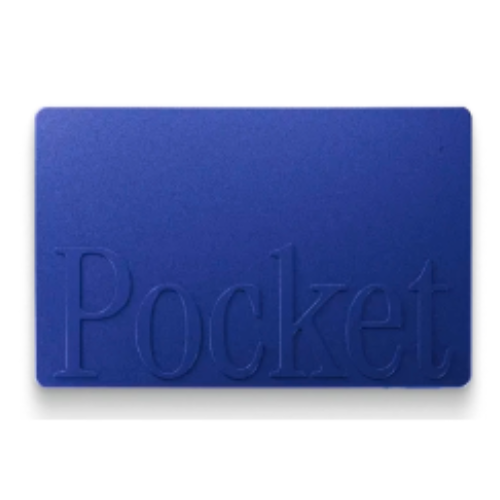
Its physical design creates an instant capture habit. A simple, quick press will record for you, which syncs later, and then even turns audio into summaries, action points, and mind maps. That kind of cross integration is important because productivity usually goes up when tools make things easier instead of harder.
How the Pocket iPhone App Connects With Daily Use
The Pocket iPhone App helps you organise everything on your phone. Audio becomes notes that are easy to search, conversations that are easy to manage, and short summaries that are easier to find than long voice memos.
What stands out is how information is organised instead of just being put away. A meeting recap can help you remember what you learned, and a messy brainstorm can help you get things done later. That means that captured thoughts are worth more than raw recordings.
Where AI Pocket Tool Fits Into Busy Workflows
The AI Pocket Tool feels most useful in fast-moving routines where multitasking normally causes details to slip away. Consultants, therapists, founders, sales teams, and creative professionals all deal with constant information flow that becomes difficult to track.
People on forums discussing voice productivity tools often mention one common frustration. Recording is easy, but revisiting recordings takes too much time. HeyPocket solves that by shortening review time, which is where many similar tools fail.
Ways People Use HeyPocket AI
HeyPocket works best when it blends in with things that happen every day. That's where it starts to be useful instead of just sounding impressive.
Meetings and Calls
Meeting notes are one obvious use case. Instead of dividing attention between listening and writing, conversations can stay natural while important points are captured in the background.
It has a contact microphone for phone calls, which makes it even more useful. That means that spoken information from client calls, planning meetings, or quick chats can be turned into searchable records without having to write everything down by hand later.
Capturing Ideas On the Move
Some of the best ideas come to you when you're not at your desk. Walking, commuting, or moving between meetings often helps clear your mind, but those thoughts go away quickly.
HeyPocket is different from most of its competitors in this way. It doesn't work like recording hardware; instead, it acts like a memory bridge between ideas and actions. That small role gives it long-term value that goes beyond the hype of productivity.
Organizing Thoughts Later
Raw capture doesn't mean much until later. HeyPocket takes recordings and makes summaries, task lists, and mind maps that show how the ideas are connected. This gives people a second benefit that they often forget about.
Looking back at organised thinking can show you patterns in conversations, priorities that keep coming up, and ideas that need to be acted on. That changes recall into reflection, which is where real productivity happens.
Where HeyPocket AI Works Well
No productivity tool fits everyone, but HeyPocket has clear strengths.
Convenience and Simplicity
Setup is refreshingly simple. Press once to record. Press again to stop. Sync when connected. That ease lowers resistance, and low resistance creates habits. People who leave reviews repeatedly mention how quickly it becomes routine. Several describe using it daily because it removes friction instead of adding another system to manage.
AI Companion Device Benefits
As an AI Companion Device, HeyPocket offers something apps struggle to provide, which is separation from distraction. Phones carry notifications, calls, messages, and endless interruptions. Pocket remains focused on one task. That single-purpose design can help people stay present in conversations while still preserving information. In a distracted work culture, presence itself has become valuable.
Where Some People May Feel Limited
There are still trade-offs with strong tools, and honest Pocket AI reviews should talk about them.
Learning Curve
The hardware is easy to use, but getting used to a new way of working can be hard. People who are used to typing notes may need some time before they trust spoken capture as their main way to take notes. That change is in behaviour, not in technology. It takes practice to get used to reviewing summaries later instead of writing everything down by hand.
Accuracy and Workflow Expectations
Transcription quality is praised often, but AI summaries are never flawless every single time. Context-heavy discussions, overlapping speakers, and noisy environments can affect output. People on AI note-taking forums frequently say that treating summaries as intelligent drafts instead of perfect transcripts gets the best results. That expectation will ultimately make the experience go more smoothly.
Who Will Benefit Most From HeyPocket AI
HeyPocket feels best suited for people whose thinking happens in motion.
It makes sense for:
- Professionals in frequent meetings.
- Consultants managing client conversations.
- Founders capturing fast ideas.
- Creatives organizing spoken brainstorming.
- Individuals who dislike typing notes.
- Anyone wanting less screen interaction.
For someone already disciplined with manual note systems, the value may feel smaller. For people constantly losing their thoughts, it could become indispensable.
FAQs
How HeyPocket Handles Offline Recording?
Hey Pocket allows you to record audio offline and store it on your device. Once you're connected again through the app, recordings will automatically sync and generate summaries.
How Accurate Are Summaries In Daily Use?
Most public feedback trends are good, especially for conversations that are more structured. Accuracy seems to be best in places that have clear audio and defined speakers.
Can Hey Pocket Replace Manual Notes?
For many daily conversations, yes. For highly technical documentation, some people may still prefer adding quick manual edits after reviewing summaries.
Ideas are easy to lose, and once a useful thought slips away, recreating it rarely feels the same. HeyPocket offers a practical way to hold on to those moments by turning everyday conversations, quick ideas, and important discussions into something organized and actionable.
Before making a purchase, it is also worth checking for HeyPocket Promo Codes to see if any savings are available.
Follow FlexGlimpse for more insights on Artificial Intelligence and technology shaping how people work smarter.
Related Blogs

ShirtPunch Review: Fun Pop Culture Apparel and Collectibles
Looking for unique pop culture apparel? Read our ShirtPunch review to explore graphic T-shirts, hoodies, collectibles, and accessories designed for fans of gaming, anime, movies, comics, and more.

Is Commomy Decor Worth Buying For Stylish Home Furniture
Looking for stylish and practical home furniture? Read our Commomy Decor review to explore its modern furniture designs, décor collections, functional pieces, and affordable options that help create comfortable and beautiful living spaces.

Is Team Motorcycle the Best Store for Motorcycle Gear and Riding Accessories
Searching for reliable motorcycle gear? Read our Team Motorcycle review to explore its wide range of helmets, riding apparel, boots, gloves, luggage, and accessories designed for riders of every experience level and budget.