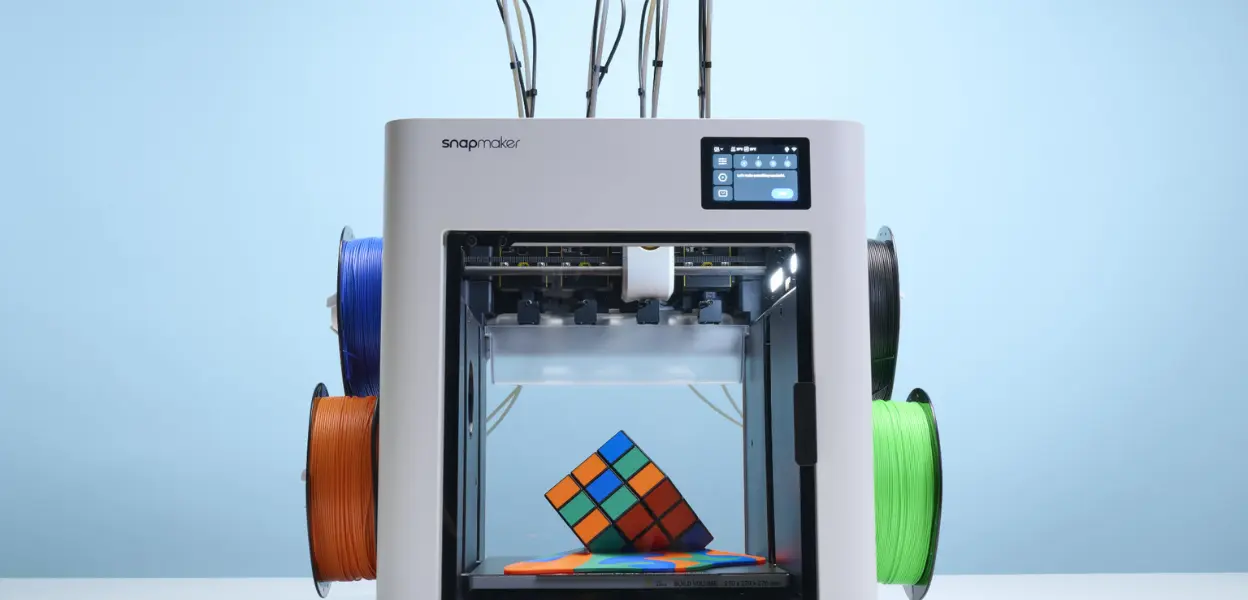
Is the Snapmaker U1 the Ideal 3D Printer for Beginners?
Starting 3D printing can quickly turn frustrating when nothing works as expected. The Snapmaker U1 gives first-time users a smoother, more reliable way to get started without dealing with constant setup issues or failed prints.
Getting started with 3D printing sounds exciting, until your first few prints fail, settings feel overwhelming, and nothing turns out the way you expected. Most beginners don’t just struggle with creativity, but they can't stay consistent. The learning curve, combined with unpredictable results, is what turns a great idea into a frustrating experience.
The Snapmaker U1 is built to change that first impression, focusing on giving new users a smoother, more reliable starting point. If you’re looking for a first 3D printer that helps you build confidence from day one, the Snapmaker U1 positions itself as a practical and approachable choice.
Snapmaker U1 Overview
The Snapmaker U1 is a desktop 3D printer designed for home use, making it easy to bring ideas to life without a complicated setup. It’s built with first-time users in mind which offers a smoother onboarding experience that doesn’t feel overwhelming. It doesn’t overload the user with complexity, rather it prioritizes reliability, usability, and a more controlled printing experience from the start.
Key Features That Make the Snapmaker U1 Beginner-Friendly
Starting 3D printing for the first time can feel confusing, but the Snapmaker U1 focuses on making things simple so you can learn without constant frustration. These features are designed to help you get results you can trust from the beginning.
Reliable Print Stability
The Snapmaker U1 is built to deliver steady and consistent prints. In this way you don’t have to deal with random failures that make learning harder than it should be.
Easy Setup and Learning Curve
Getting started feels straightforward with its setup process that doesn’t overwhelm you which makes it easier to go from unboxing to your first print.
Strong First Layer Performance
A good print starts with the first layer and the Snapmaker U1 helps ensure better adhesion so your prints don’t fail right at the beginning.
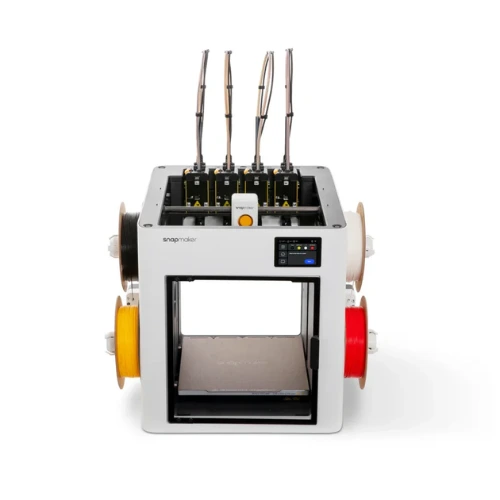
Controlled Printing Environment
Its design helps reduce outside interference which allows for a more stable printing process and more reliable results over time.
Modular Upgrade Potential
As you get more comfortable, the Snapmaker U1 allows you to expand your setup instead of replacing your printer.
Home-Friendly Design
It fits easily into a home setup without needing extra space or complicated arrangements, making it practical for everyday use.
Advantages and Possible Drawbacks
Before deciding to make a purchase, take a look at where the Snapmaker U1 truly delivers and where it may not fit every type of user.
Pros
- Designed to help first-time users get started without feeling overwhelmed or lost in complex settings.
- Delivers stable results, reducing the chances of failed prints that can discourage new users early on.
- From unboxing to first print, the workflow feels straightforward and manageable for home users.
- Allows you to grow your setup as your skills improve, without needing to replace the entire machine.
Cons
- Users looking for more complex or industrial-level printing may eventually want something more specialized.
- The price sits on the higher side for beginners, so it’s worth using a Snapmaker discount code to make it more affordable.
Is the Snapmaker U1 the Right Fit For You?
Not every 3D printer fits every type of user, and that’s actually a good thing. This 3D printer from Snapmaker works best when your goal is to keep things simple, reliable, and frustration-free from the start.
Who the Snapmaker U1 Is Ideal For
- Beginners who want a smooth and easy start.
- People who prefer reliable results over constant tweaking.
- Home users looking for a simple and manageable setup.
- Users who want a printer that can grow with their needs.
FAQs
What Makes the Snapmaker U1 Different From Other Snapmaker 3D Printers?
The Snapmaker U1 focuses more on simplicity and ease of use. It’s built to help first-time users get started quickly, while still allowing room to expand later.
What Can You Make With the Snapmaker U1?
You can create practical parts, small tools, models, and custom items for home projects with consistent results.
Does the Snapmaker U1 Require a Lot Of Maintenance?
Basic cleaning and occasional checks are enough to keep it running smoothly without constant effort.
The Snapmaker U1 is an ideal starting point for anyone who is stepping into 3D printing for the first time. It focuses on what matters most early on: giving you a setup that feels stable, manageable, and easy to work with instead of overwhelming. If your goal is to start creating without dealing with constant trial and error, the Snapmaker U1 delivers a straightforward path to getting there.
For more on the latest in technology, home, and lifestyle, stay tuned to FlexGlimpse!
Related Blogs

ShirtPunch Review: Fun Pop Culture Apparel and Collectibles
Looking for unique pop culture apparel? Read our ShirtPunch review to explore graphic T-shirts, hoodies, collectibles, and accessories designed for fans of gaming, anime, movies, comics, and more.
Is Commomy Decor Worth Buying For Stylish Home Furniture
Looking for stylish and practical home furniture? Read our Commomy Decor review to explore its modern furniture designs, décor collections, functional pieces, and affordable options that help create comfortable and beautiful living spaces.

Is Team Motorcycle the Best Store for Motorcycle Gear and Riding Accessories
Searching for reliable motorcycle gear? Read our Team Motorcycle review to explore its wide range of helmets, riding apparel, boots, gloves, luggage, and accessories designed for riders of every experience level and budget.